Image FX OCX Duplicate Some of Photoshop's Features [outdated, see description for link to new
Latest Image FX: https://www.vbcoders.com/vb/scripts/ShowCode.asp?txtCodeId=22970&blnEditFeedback=TRUE&lngWId=1
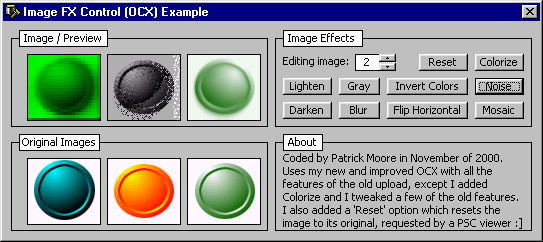
The Image FX Control is an excellent tool! This great OCX duplicates some of Adobe Photoshop's key features and filters. It is a must for anyone, especially paint program designers, etc. Compiles all the features of my last post (Add Noise, Blur, Darken, Flip Horizontal, Invert, Lighten, and Pixelate) into one small OCX (ActiveX Control). No sifting through modules, or hard coding. One line is all it takes to do any of the features! I added a Reset button to the example, and added the 'Colorize' feature to the OCX. Includes the OCX, its source, and an example project which demonstrates how to use all effects. The OCX uses only two API calls! SetPixel and GetPixel. Check out the screen shot and please take the time and vote for me if you find this code useful. I'd GREATLY appreciate any criticism/feedback and votes :] Source code is completely commented.
 (5(5 Vote))